
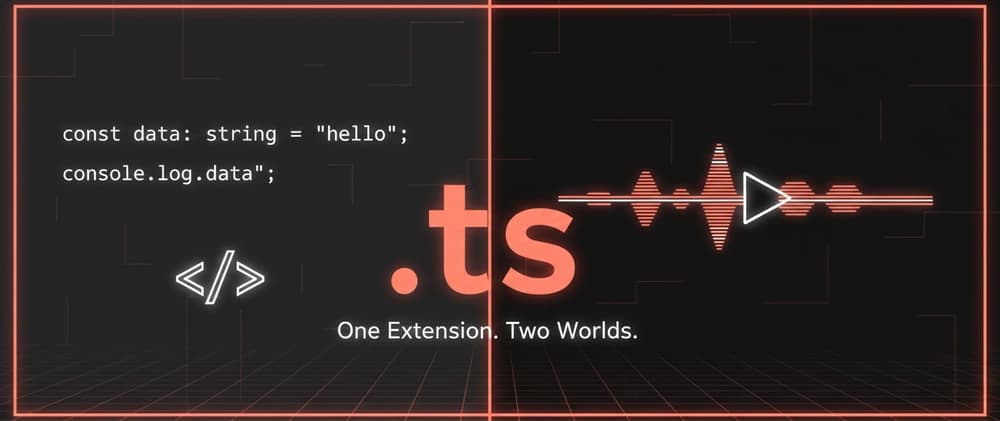
`.ts` Is Not Just TypeScript — The File Extension With a Double Life

Have you ever downloaded a video file and noticed it had a .ts extension? And then thought, "Wait… isn't that a TypeScript file?" 😅
You are not alone. The .ts extension is one of the most quietly confusing file extensions in the tech world. It serves two completely different purposes depending on where you find it — and most developers only know one side of the story.
So let's fix that. By the end of this post, you will know exactly what .ts means in both contexts, why they have nothing to do with each other, and how to tell them apart without guessing.
What Is a .ts File, Exactly?
The short answer: it depends on the context.
The .ts extension has been claimed by two completely separate technologies:
- TypeScript — a popular programming language built on top of JavaScript.
- MPEG-2 Transport Stream — a video/media container format used in broadcasting and streaming.
Same extension. Totally different worlds. Let's look at both.
Side One: .ts as a TypeScript File
What Is TypeScript?
TypeScript is a programming language created by Microsoft. It takes regular JavaScript and adds static typing on top of it.
Think of JavaScript as a recipe with no measurements. You can add "some flour" and "a bit of sugar" and it still works — until it suddenly does not. TypeScript is the same recipe but with exact measurements. It catches problems before they become disasters.
// TypeScript example
function greet(name: string): string {
  return `Hello, ${name}!`;
}

greet("Hamid");   // ✅ Works fine
greet(42);        // ❌ Error: Argument of type 'number' is not assignable to type 'string'
TypeScript files use the .ts extension. When you compile them, they turn into plain .js files that the browser or Node.js can run.
Where You See .ts Files
index.ts— main entry point in a TypeScript projectutils.ts— utility functions with type safetytypes.ts— shared type definitions across your app*.tsx— TypeScript files that contain JSX (React components)
If you have ever used Next.js, Angular, or NestJS, you have already worked with .ts files — possibly without even thinking about it.
Side Two: .ts as a Video Transport Stream
What Is an MPEG-2 Transport Stream?
This .ts has absolutely nothing to do with code.
A Transport Stream (TS) is a container format for audio and video data. It was designed specifically for broadcasting — think satellite TV, digital cable, and live streaming pipelines. The full technical name is MPEG-2 Transport Stream, and it is defined by the ISO/IEC 13818-1 standard.
If TypeScript's .ts is about organizing code reliably, the video .ts is about delivering video reliably — even when the signal drops or packets get lost along the way.
That is actually its superpower: it is built for lossy, unreliable transmission environments. Unlike an MP4 that can break if a chunk of data is missing, a Transport Stream is designed to keep going even when parts of it are lost.
Where You See Video .ts Files
- Recordings from digital TV tuners
- Files downloaded from HLS (HTTP Live Streaming) streams
- Raw footage from broadcast cameras
- Video captured by some DVRs and set-top boxes
- Segments in adaptive video streaming (
.m3u8playlists)
You might have noticed this if you ever downloaded a stream or recorded live TV and ended up with a file called something like recording.ts or segment_001.ts.
Why This Topic Matters
This is not just a fun trivia fact. There are real situations where this confusion causes real problems.
For developers:
- You might be writing a script to process files and accidentally try to parse a video file as TypeScript code — or vice versa.
- Automated build tools that scan for
.tsfiles could accidentally pick up video files in the wrong directory. - You might download a
.tsvideo and try to open it in a code editor, wondering why it looks like gibberish.
For content creators and video engineers:
- Tools that handle video pipelines might conflict with Node.js or TypeScript tooling in the same project.
- CI/CD pipelines with media processing and TypeScript compilation need to be set up carefully to avoid conflicts.
Understanding that these two formats share a name but share nothing else saves you a lot of confusion and wasted debugging time.
Key Differences at a Glance
| Feature | TypeScript .ts | Video Transport Stream .ts |
|---|---|---|
| What it is | A source code file | A video/audio container |
| Created by | Microsoft (2012) | MPEG group (1995) |
| Opens with | Code editor (VS Code, etc.) | Media player (VLC, ffmpeg, etc.) |
| Used in | Web and backend development | Broadcasting, live streaming |
| Output | Compiled to .js | Played or transcoded to .mp4, etc. |
| File size | Usually small (KBs) | Usually large (MBs to GBs) |
| Readable? | Yes — human-readable code | No — binary data |
Benefits of Knowing Both Sides
-
✅ Better debugging — If a
.tsfile refuses to open or compile, you now know to check whether it is actually a video file that ended up in the wrong place. -
✅ Smarter tooling decisions — When building scripts, CI pipelines, or file processors, you can write logic that correctly distinguishes between the two types instead of assuming all
.tsfiles are TypeScript. -
✅ Cleaner project structure — Knowing this, you will be more intentional about keeping media files and source files in separate directories — which is good practice anyway.
-
✅ Confidence in video projects — If you ever work with HLS streaming or digital broadcast, you will understand why those
.tssegment files exist and how they fit together. -
✅ Stronger communication — In team discussions or code reviews, you can be precise. Saying "the
.tsfile" means something different depending on context, and knowing that makes you a clearer communicator.
Best Tips / Do's and Don'ts
✅ Do:
- Always check the file context before assuming what a
.tsfile is. - Use your terminal:
file recording.tswill tell you whether it is binary or text. - In TypeScript projects, keep your
tsconfig.jsonscoped properly so the compiler only looks in yoursrcfolder — not everywhere. - Use
.tsxfor React TypeScript components to make the distinction even clearer. - When working with HLS streams, rename or move your
.tsvideo segments to a separate folder with a clear name like/media/segments/.
❌ Don't:
- Don't assume every
.tsfile you encounter is TypeScript. - Don't try to
tsc-compile a video segment. You will just get a confusing error. - Don't store media files and source code in the same root directory without clear separation.
- Don't name your TypeScript utility files things like
stream.tsin a media project — it invites confusion.
Common Mistakes People Make
Mistake 1: Trying to open a video .ts file in VS Code
This happens more than you'd think. Someone downloads a recorded stream, sees .ts, and double-clicks it in VS Code. The editor opens it, shows unreadable binary characters, and the developer spends five minutes wondering if their editor is broken.
Fix: Use file yourfile.ts in the terminal first. If it says "MPEG transport stream data," open it in VLC, not VS Code.
Mistake 2: TypeScript compiler picking up video files
This one is sneaky. If your tsconfig.json has a loose include path, the TypeScript compiler might try to parse binary video files and throw cryptic errors.
Fix: Be explicit in your tsconfig.json:
{
  "include": ["src/**/*.ts"]
}
This tells the compiler to only look inside src/ and only for .ts files — keeping it far away from your /media/ folder.
Mistake 3: Assuming .ts video files are broken
Some people receive a .ts video file and try to open it with Windows Media Player or QuickTime, which may not support it. They assume the file is corrupted.
Fix: Use VLC Media Player or ffmpeg — both handle Transport Stream files perfectly. You can also convert them:
ffmpeg -i input.ts output.mp4
Mistake 4: Confusing .ts with .tsx
In TypeScript, .tsx files are specifically for files that include JSX syntax (used in React). Some beginners use .ts for everything and then wonder why JSX throws errors.
Fix: Use .ts for pure TypeScript logic and .tsx for React components. It is a small habit that prevents a lot of frustration.
Wrapping It Up
The .ts extension is a rare case where one short string carries two completely different meanings depending on which world you are standing in.
- In a code editor,
.tsmeans TypeScript — a typed superset of JavaScript that helps you write safer, more predictable code. - In a media player or broadcast pipeline,
.tsmeans Transport Stream — a robust video container built for the reliability demands of live broadcasting.
Neither is more "correct." They just come from different industries that happened to land on the same three letters.
Now that you know both sides, you will never be confused by a .ts file again — whether it is a React utility or a recorded satellite feed. 🚀
If you found this useful, there are more posts like this waiting for you at hamidrazadev.com. From TypeScript deep dives to CSS tips to the latest in web tooling — it is all there.
If this post saved you even one minute of confusion, share it with a dev friend who might not know about the video side of .ts. They will thank you later. 😊

Muhammad Hamid Raza
Content Author
Originally published on Dev.to • Content syndicated with permission